DisplaySense requires a separate paid license. Contact your ISAAC sales representative for pricing and activation details.

New!

DisplaySense brings real-time monitoring, alerts, and control of NovaStar-based LED display systems directly into ISAAC, providing a unified experience across different display manufacturers, technologies, and system generations.

Publisher: Nanolumens
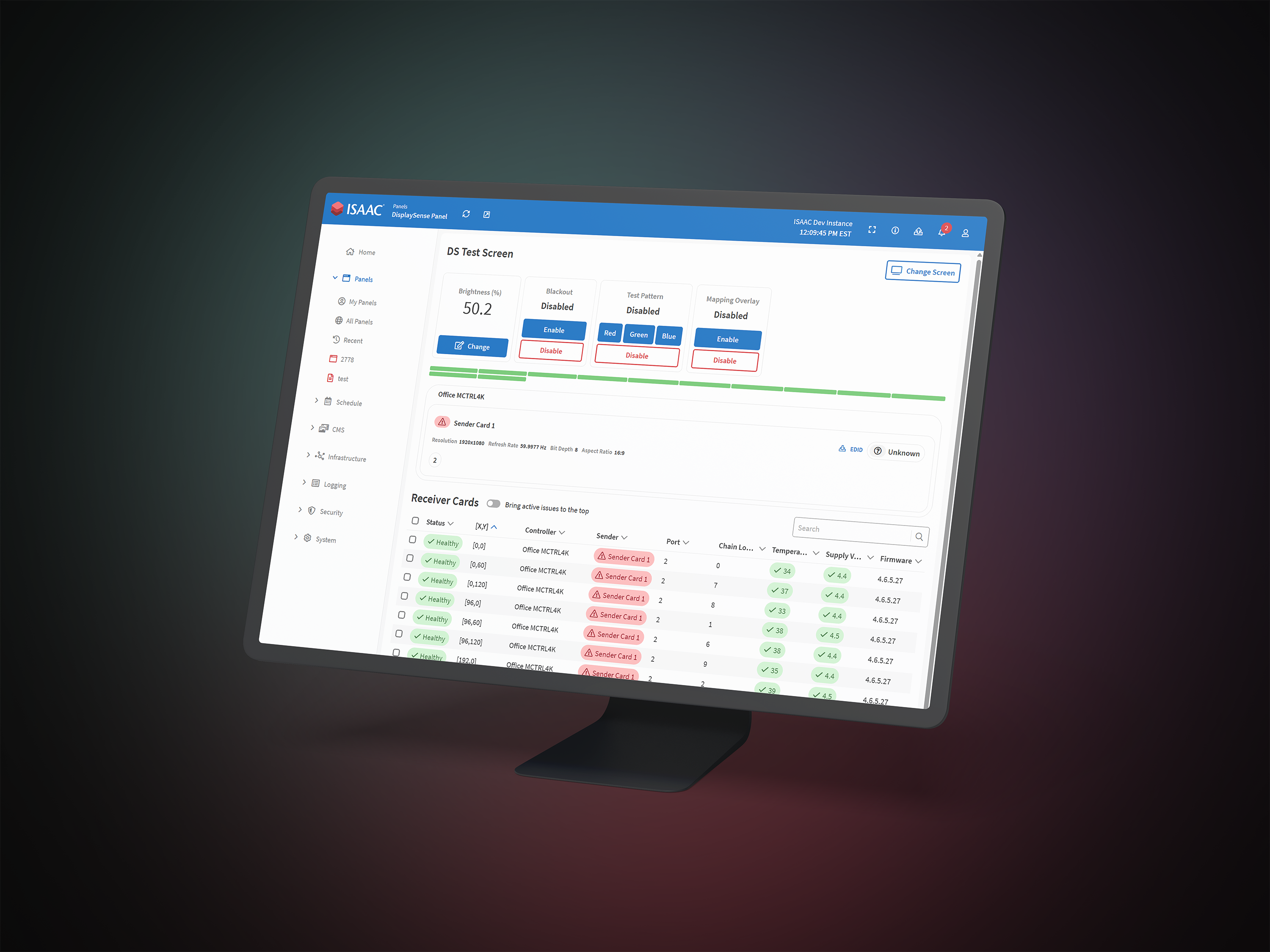
Mockup of Node-RED

Native Integration

DisplaySense is fully embedded into ISAAC Workspace as a Virtual Appliance.

Asset Variables

This module generates asset variables to expand monitoring capability.

Embedded UI

The DisplaySense control panels are fully integrated within ISAAC Workspace.

Supported Devices

Novastar M/H Series

Novastar KU Series

Control Screens

Effortlessly control all of your screens from one panel. Change screen brightness, toggle blackout, test patterns, and mapping overlay.

Get Notified with Alerts

Create alerts to get notified when there are problems with your system. Easily setup alerts for potential issues like wrong inputs, low voltage, or high temperature for all your screens from Nanolumes.

Features

Collapse
Compare All

General

Documentation

Includes documentation about the integration.

Fleet

A group of media players sharing one license and templates, with individual players owning their events, playables, variables, and control panels.

UI Setup

Includes a User Interface for setting up the integration.

Variables

Built-in

Readily available variables provided by the Subsystem for use in ISAAC.

Custom

Allows for custom variables to be created in the Subsystem for use in ISAAC.

Activity Logs

Subsystem can utilize the logging feature within ISAAC to log anything from errors to status updates.

Panels

Panels

Integration can publish Panels for use within ISAAC Workspace

Schedule & CMS

Schedule

Events & Playables can be programmatically triggered at specific times using the Schedule.

Events

Subsystem exposes Events, which can be scheduled to trigger specific behaviors in Subsystems.

Playables

Subsystem exposes content such as media files or timelines that is already present as Playable, which can then be scheduled.

Compositions

Playables with customizable content created from Templates, which can be scheduled, allowing for dynamic media playback with various elements.

Templates

Composition Templates created manually in ISAAC Workspace for the subsystem.

Auto Templates

Subsystem exposes Templates for compositions automatically based on their configuration and capabilities.

Instant Play

Allows for the instant playback of media, overriding any scheduled content.

ISAAC CMS

Files or Media can be ingested in ISAAC and fetched by the Subsystem when scheduled.

Direct Media Playback

Ingested Media through ISAAC that can be directly played back on the Subsystem as Playables.

Loop Play Mode

Media players supports looping playback.

Schedule Play Mode

Media players supports playing scheduled content.

Screenshot

View a screenshot of the most recently played media on supported players.

Composition Preview

Visualize compositions before it goes live. When activated in a Composition template, the Subsystem renders a preview of a Composition during authoring.

Other

Pin Auth

Subsystem can use PIN authentication to tie into the ISAAC users and permissions system using a simplified interface.

Identify

Prompts a specific subsystem to identify itself, aiding in locating and distinguishing devices in complex setups.

DisplaySense

N/A

–

–

N/A

N/A

N/A

N/A

N/A

N/A

N/A

N/A

N/A

N/A

N/A

N/A

N/A