ISAAC Workspace 2.7 delivers major enhancements to content management and scheduling, making it easier to organize, configure, and deploy content across your ISAAC System. The release also expands the ISAAC Ecosystem with two new integrations: Dataton WATCHOUT, bringing ISAAC’s scheduling, content management, monitoring, and control capabilities to WATCHOUT-powered experiences, and DisplaySense by Nanolumens, enabling NovaStar LED controllers to be monitored directly within ISAAC. Workspace 2.7 also introduces faster infrastructure configuration with Multi-Add, secure HTTPS support, and a range of usability, performance, and stability improvements.
A More Powerful Content Management Experience
Workspace 2.7 brings significant enhancements to ISAAC CMS, providing greater flexibility and control over how content is created, organized, and scheduled.
A redesigned Playables experience brings content and subsystem actions together in one place, while new creation, organization, and scheduling options make it easier to work with even large content libraries. Still images also gain a configurable default duration, allowing them to be used more naturally alongside video and other timed content in playlists and schedules.
Together, these enhancements make content management in ISAAC more intuitive and flexible, from preparing content to putting it into action.
Manage All Your Playables in One Place
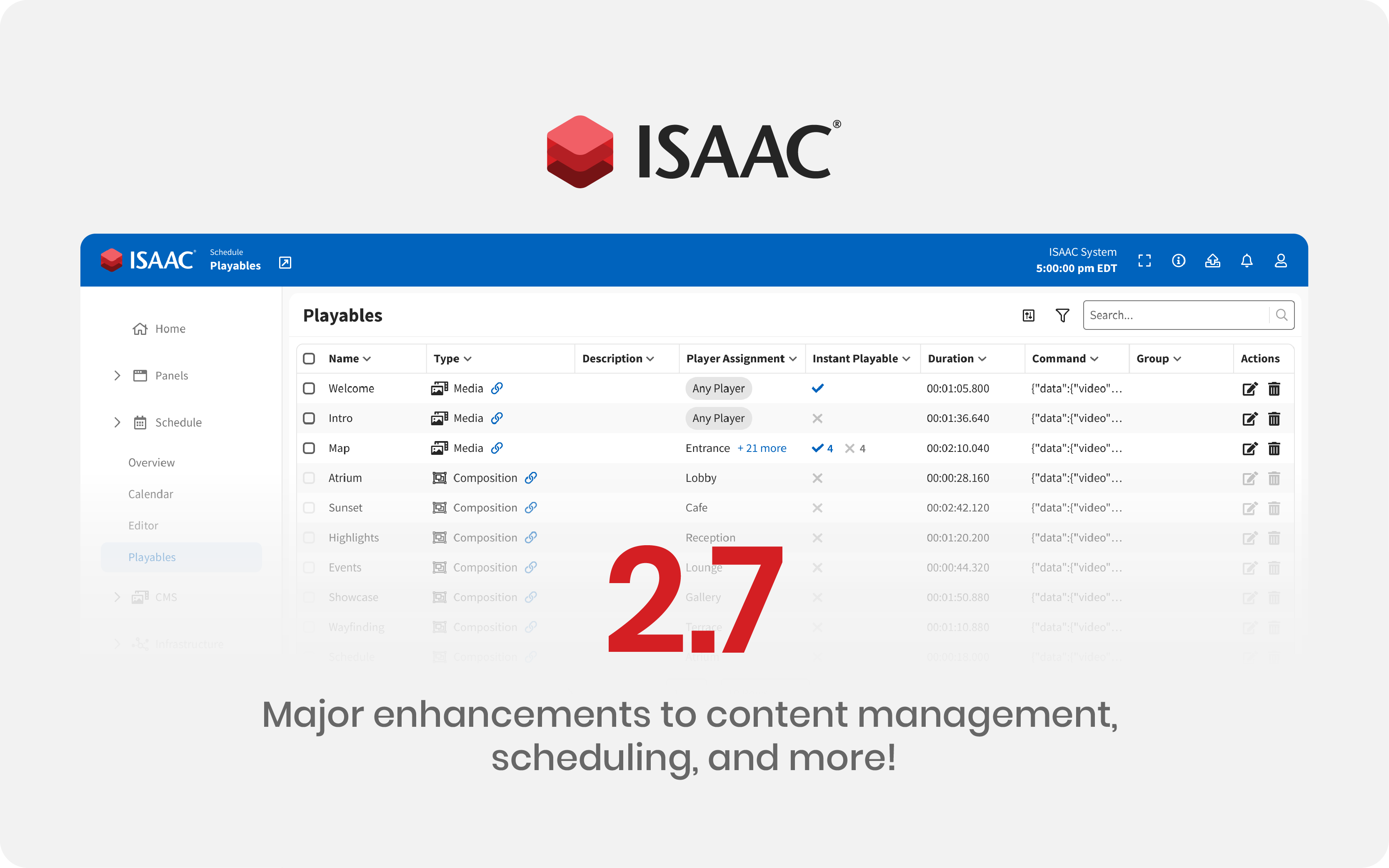
Workspace 2.7 introduces a dedicated Playables page under Schedule, giving you a single place to view and manage all available Playables.
Playables from Subsystems, Media, and Compositions are brought together in a consolidated view, with sorting, searching, and filtering making it easier to find and manage exactly what you need.
More Control Over Playable Creation
You now have greater control over how Media Playables are created and where they are available. Choose automatic creation for any Player or selected Players, or create Playables manually when needed.
This helps keep Playable libraries focused and manageable, particularly in Systems with large amounts of Media or multiple Players.
Flexible Calendar Library Views
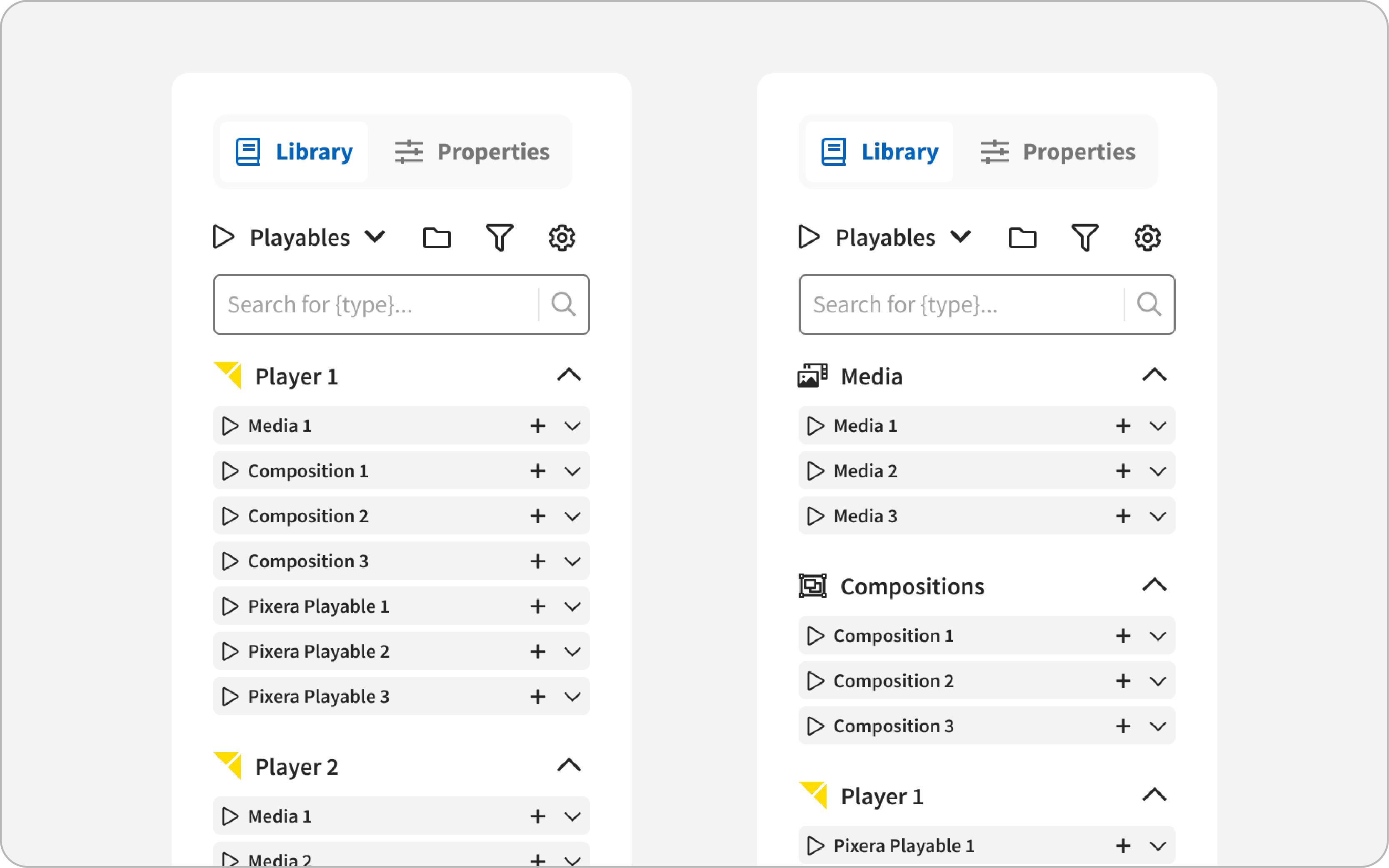
The Calendar Library can now organize Playables by either Player or Type, giving you the flexibility to navigate content in the way that best fits your workflow.
Combined with the new Playable creation options, these views make large content libraries easier to navigate when building schedules.
Schedule Media to the Players You Choose
The new Playables by Type view lets you start with the Media you want to schedule and then choose the Player or Players on which it should run.
This provides a more content-centric scheduling workflow, particularly when the same Media needs to be deployed across multiple Players.
A Consistent Playables Experience
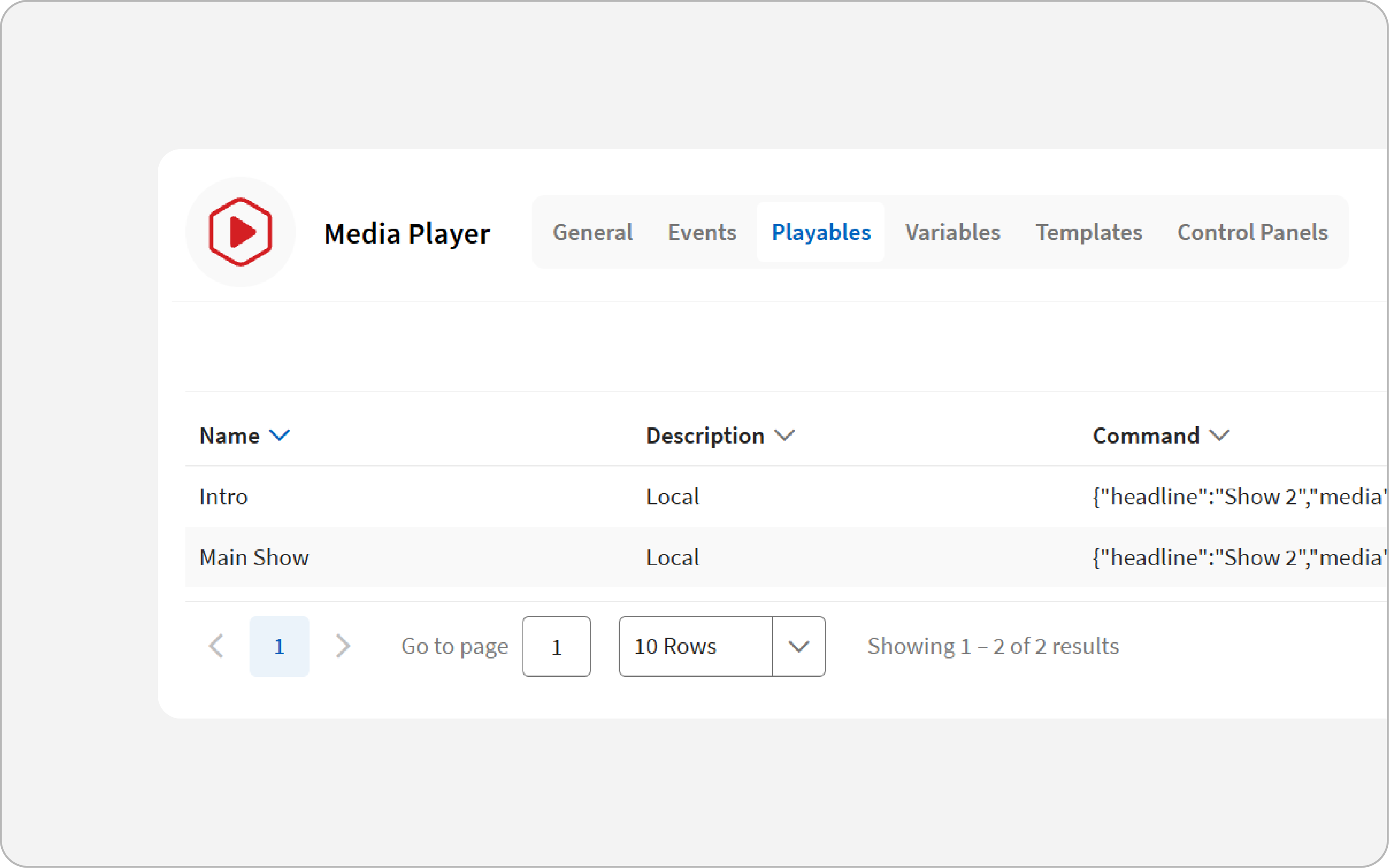
Module pages now use the same Playables view as the dedicated Playables page, creating a consistent management experience wherever you work with Playables in ISAAC Workspace.
Still Images That Behave More Like Timed Content
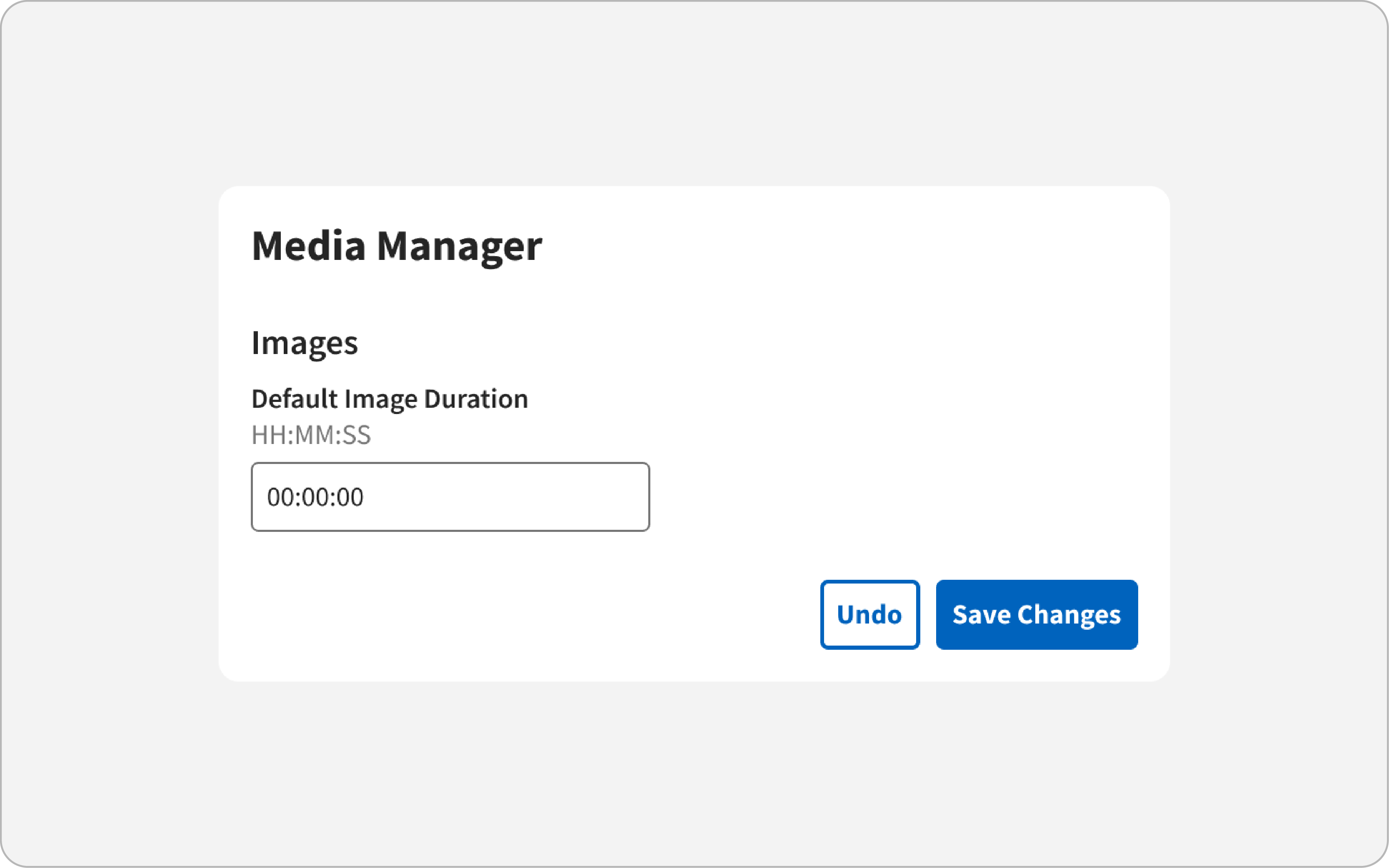
Still images can now be assigned a default playback duration when they are imported into ISAAC CMS. This makes still-image content easier to use alongside video and other timed Media, particularly when building playlists or schedules where each piece of content needs a defined duration.
Also New in ISAAC Workspace 2.7:
Secure HTTPS Access
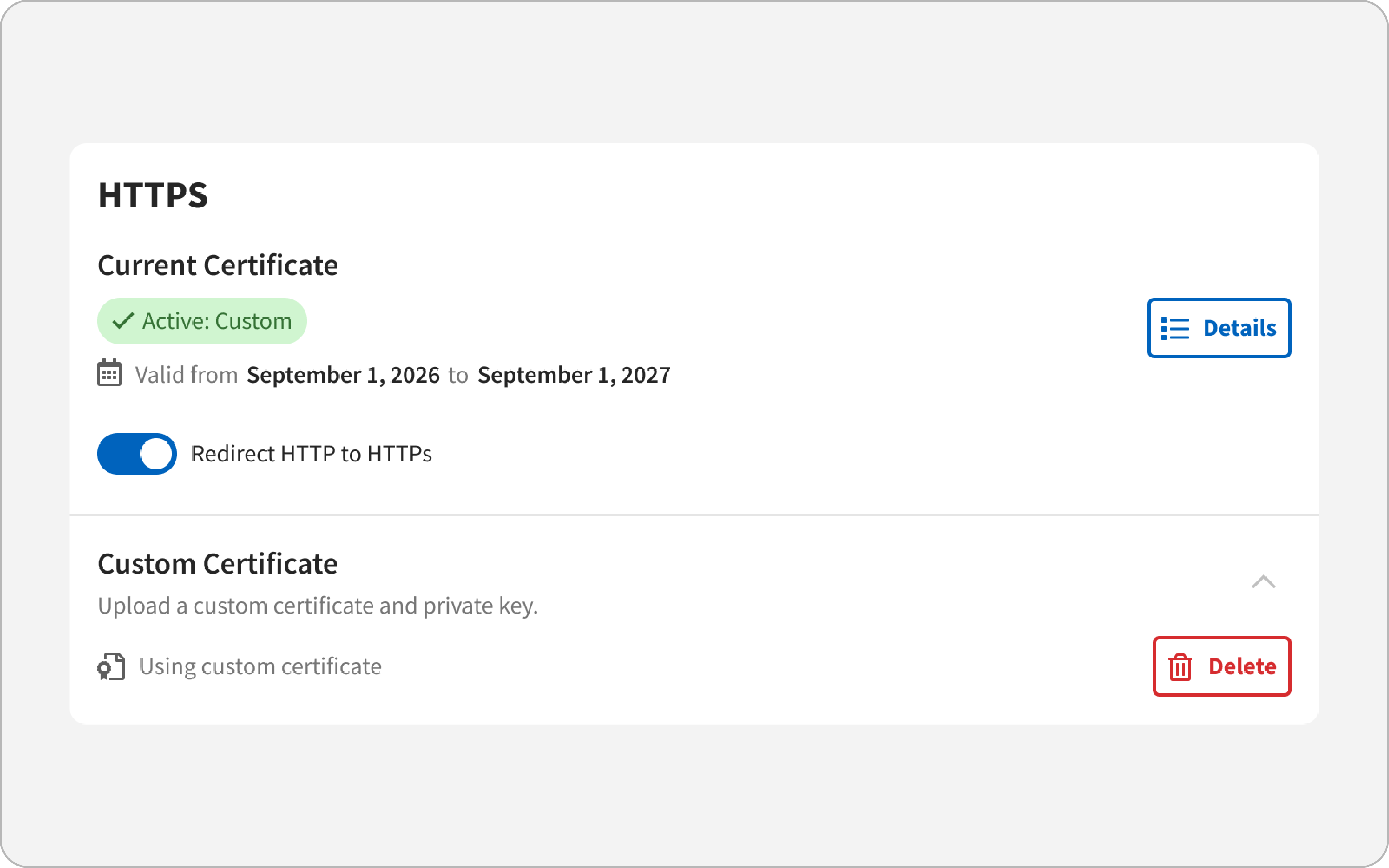
ISAAC Workspace now supports secure access over HTTPS using either an automatically generated self-signed certificate or a custom certificate. HTTPS is enabled by default for newly deployed Systems, while existing Systems retain their current HTTP configuration when upgrading to Workspace 2.7.
Add Multiple Assets at Once
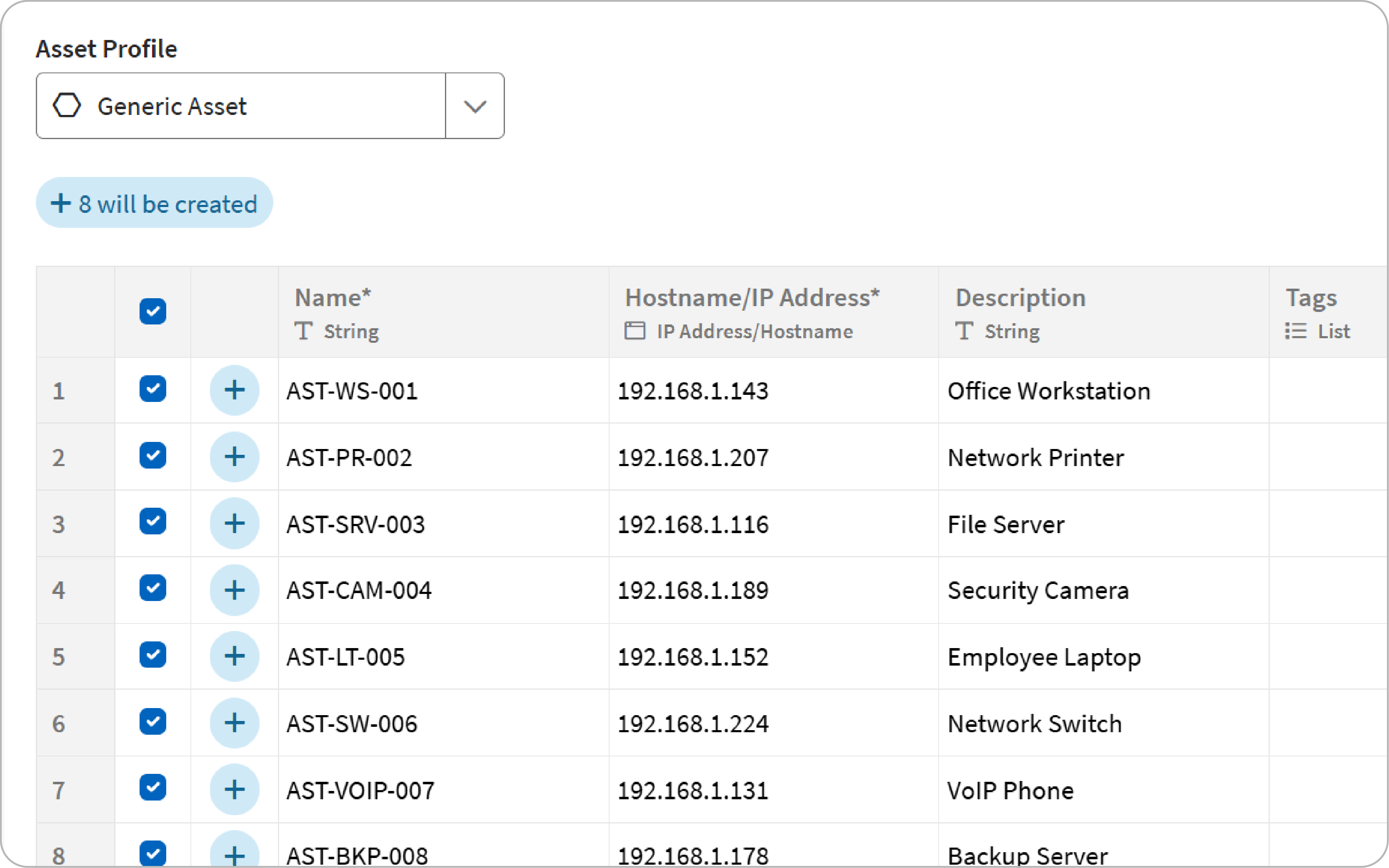
Setting up infrastructure just got faster. You can now create multiple Assets at once from System > Infrastructure, defining the names and parameters of multiple Assets and creating them together as a batch.
Multi-Add is available for Generic, Camera, Web Page, Windows Computer, and O3 Multi-Sensor Asset types.
New DisplaySense Integration
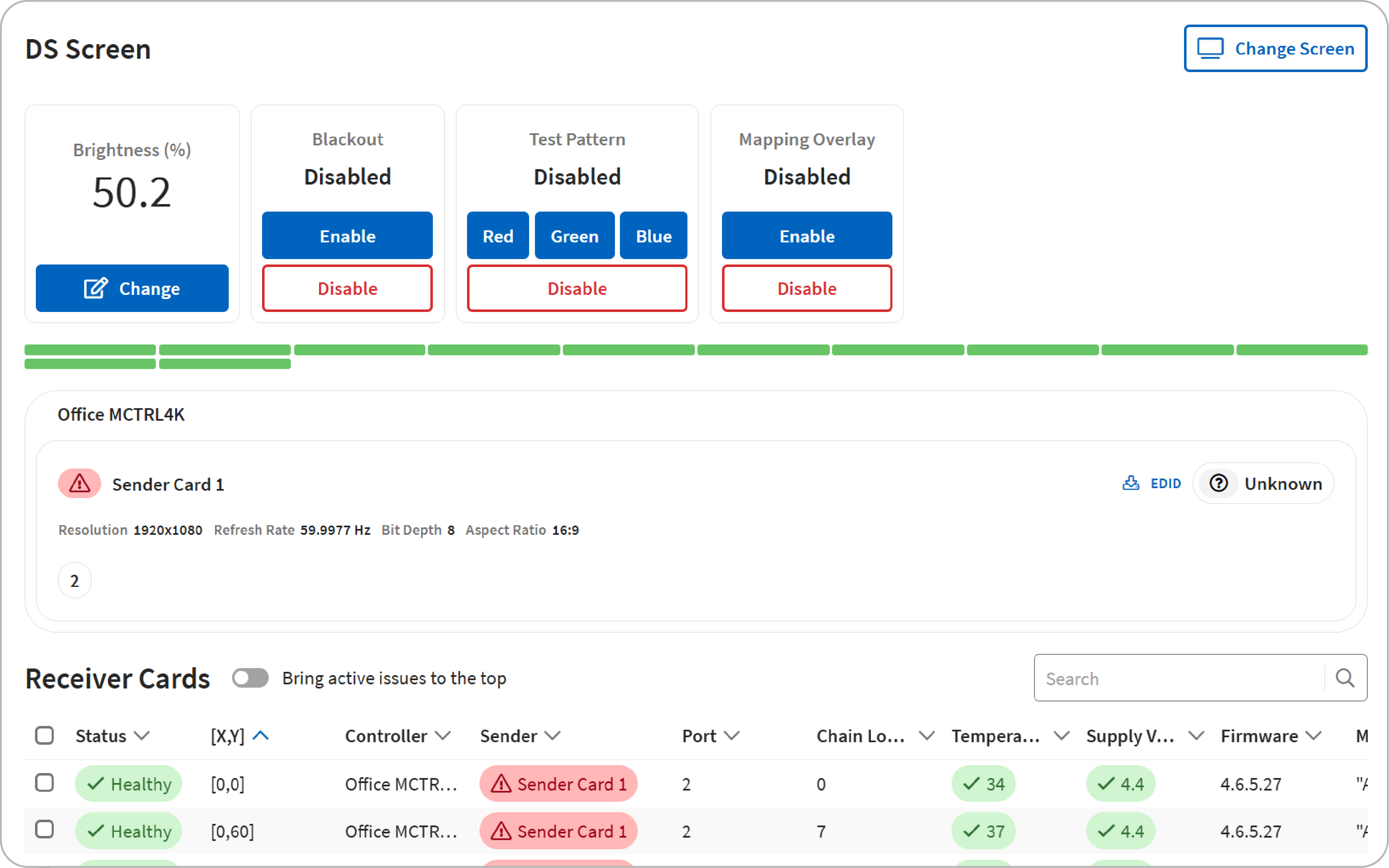
Workspace 2.7 introduces the DisplaySense module by Nanolumens for monitoring NovaStar controllers directly within ISAAC. The module includes built-in Panels for monitoring sender and receiver card status, along with controls for Brightness, Blackout, Test Pattern, and Mapping Overlay.
An additional license is required to activate the DisplaySense module.
New WATCHOUT Integration
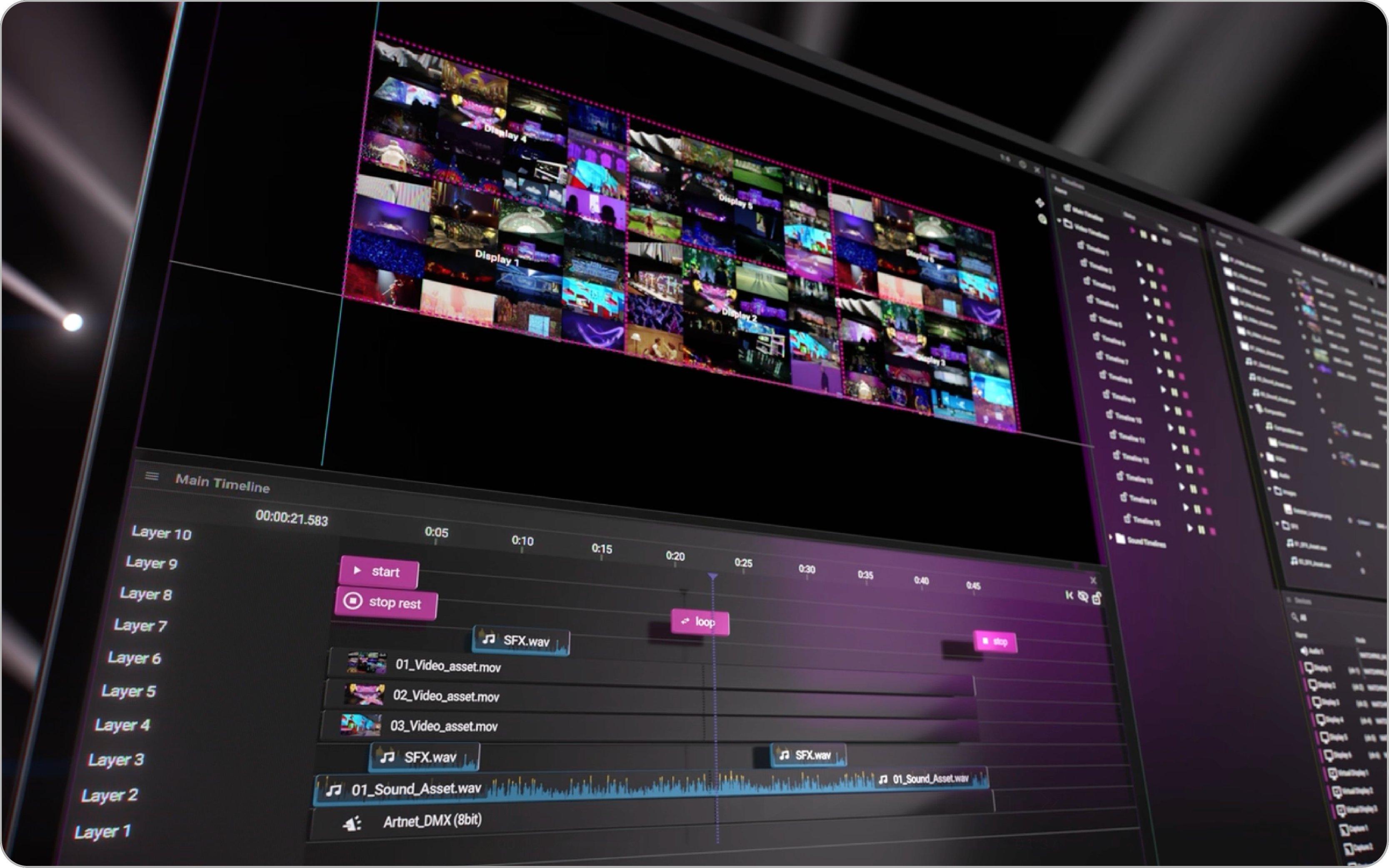
Dataton joins the ISAAC Ecosystem, bringing ISAAC’s operational workflows to WATCHOUT-powered experiences.
The new integration connects WATCHOUT’s show creation and synchronized playback capabilities with ISAAC Schedule, CMS, monitoring, and control, giving venue teams a straightforward way to operate WATCHOUT experiences day to day.
Operators can schedule WATCHOUT timelines and controls, update images and video through ISAAC Compositions without modifying the underlying WATCHOUT show, and monitor show status and essential playback controls directly through ISAAC.
Together, ISAAC and WATCHOUT bridge the gap between show design and daily operations, allowing designers to establish the creative framework in WATCHOUT while giving venue teams the tools to schedule, update, monitor, and operate the experience within that framework.
Full Changelog
New Features
New Playables Page: Playables can now be viewed and managed from a dedicated Playables page under Schedule, providing a consolidated view of all available Playables. Playables are grouped by type, whether they originate from Subsystems, Media, or Compositions. The list supports sorting, searching, and filtering to help you quickly locate specific Playables.
New Automatic and Manual Media Playable Creation Modes: Media Playables can now be created automatically or manually using a configurable creation mode. Automatic creation for selected Players, as well as manual creation, helps reduce the number of generated Playables and provides greater control over where they are available.
New Calendar Library Display Modes for Playables: Playables can now be displayed in the Calendar Library either by Player or by Type. Combined with the ability to limit Playable creation to selected Players, these new display modes simplify Playable navigation when scheduling content.
New Player Selection When Scheduling Media: The new Playables by Type view in the Calendar Library allows you to select a Media item first and then choose the Player(s) on which it should be scheduled.
New Subsystem Playables Tab: The Playables tab on Module pages now uses the same Playables view as the new Playables page, providing a consistent management experience throughout the application.
HTTPS Support: ISAAC Workspace now supports secure access over HTTPS using either an automatically generated self-signed certificate or a custom certificate. HTTPS is enabled by default on newly deployed Systems, while existing Systems continue to use their current HTTP configuration after updating.
Multi Add Assets: You can now create multiple Assets at once. From the System > Infrastructure page, use the new option in the Add Asset menu to define the names and parameters of multiple Assets and create them as a batch. This feature is available for Generic, Camera, Web Page, Windows Computer, and O3 Multi-Sensor Asset types.
DisplaySense: Added the new DisplaySense module by Nanolumens for monitoring NovaStar controllers. The module includes built-in panels displaying the status of controller sender cards and connected receiver cards, as well as controls for Brightness, Blackout, Test Pattern, and Mapping Overlay. An additional license is required to activate this module.
Dataton WATCHOUT: A new module has been added to support Dataton WATCHOUT, a multi-display software solution to compose and manage all the different media elements in a show.
Still Image Default Duration: A new option under System > Settings > CMS > Media Manager allows you to define the default duration applied to still images imported as new Media.
Improvements
The System > Settings menu has been reorganized into a more intuitive structure, making configuration options easier to locate while providing room for future expansion.
The loading time when opening the User Manual has been reduced.
The Address column in System > Infrastructure and the IP Address display option in the Infrastructure Dashboard now clearly indicate whether the displayed value is an IP address or a URL.
On the Edit My Panel page, the information icon is now displayed next to the Panel name rather than at the far right of the page. When available, hovering over the icon displays the Panel description.
When accessing the settings page of a Module that no longer exists through its URL, a fallback page is now displayed instead of a blank page.
The notification banner system has been redesigned to better handle multiple simultaneous notifications. You can now navigate between notifications and access additional information when available.
The option to show or hide the Asset Name column has been removed from the Asset Dashboard column customization menu, as hiding this column made the page unusable.
The OpenSSH component has been updated to version 9.6p1, including all available patches for this version.
Bug Fixes
Compositions with thumbnails do not always display their thumbnail in the Instant Play Playables selector [ISAAC-S-2367].
Searching Calendar Items does not display Players or Subsystems that match the search criteria [ISAAC-S-2366].
The Template Editor incorrectly displays its location as CMS > Template Editor instead of System > Module in the main page header [ISAAC-S-2423].
On smaller screens, the Calendar Item properties menu is truncated, preventing access to some fields and making them impossible to edit or save [ISAAC-S-2421].
When uploading a thumbnail, the file picker does not restrict the selection to supported file types [ISAAC-S-2419].
System performance can be affected when a large number of notifications have accumulated [ISAAC-S-2446].
Newly created Alerts are disabled by default and must be manually enabled [ISAAC-S-2493].
The Infrastructure > Platform page displays an error when accessed by a user with view-only permissions [ISAAC-S-2744].
Setting a thumbnail on an image sequence fails with a 502 error message and the thumbnail is not set [ISAAC-S-2770].
In some circumstances, when selecting a Media for a Player in loop mode in the Player Manager, the Media Selector does not always display the media vignette. When selecting these Media, the error message "Error Loading Playable media" is shown [ISAAC-S-2730].
Workspace becomes inaccessible when an invalid Hostname / IP Address is entered in Settings > Infrastructure > Virtualization [ISAAC-S-2700].
Known Issues
When using Start Playlist and Stop Playlist items in the calendar, there are no schedule items generated if the Start or the Stop are too far apart (more than 24h) or if there is no Stop item [ISAAC-A-2913].
The schedule may be built incorrectly on days when a Daylight Saving Time (DST) change occurs, causing some events to be scheduled at the wrong time or not scheduled at all [ISAAC-S-2176].
Items from the Library cannot be dragged and dropped into a Block when using List view [ISAAC-S-2414].